免FreeNo purchases, no subscriptions, no paid levels
一One solutionEvery puzzle has exactly one — no guessing
LevelMedium
Time0:00
Mistakes0
←↑→↓ cell1–9 digitN notesCtrl Z undo
New game
Level = the hardest technique you’ll need
解
Solved!
0:00
0mistakes
0hints
Mediumlevel
The app works the same way — and it plays offline too.
Features
Like a good puzzle book, but the pencil never goes blunt
Pencil notes
Jot down candidates yourself or turn on auto-notes. When you place a digit, it drops out of the neighbouring notes on its own.
5
1797
277
3787
477
6
127
797
3
Pencil in the digits a cell could hold
Place a 7 where it definitely goes
The 7s vanish from notes in that row, column and box
Mistakes, your way
Flag them instantly, only on request, or not at all. No “three strikes and you’re out” unless you want it.
472
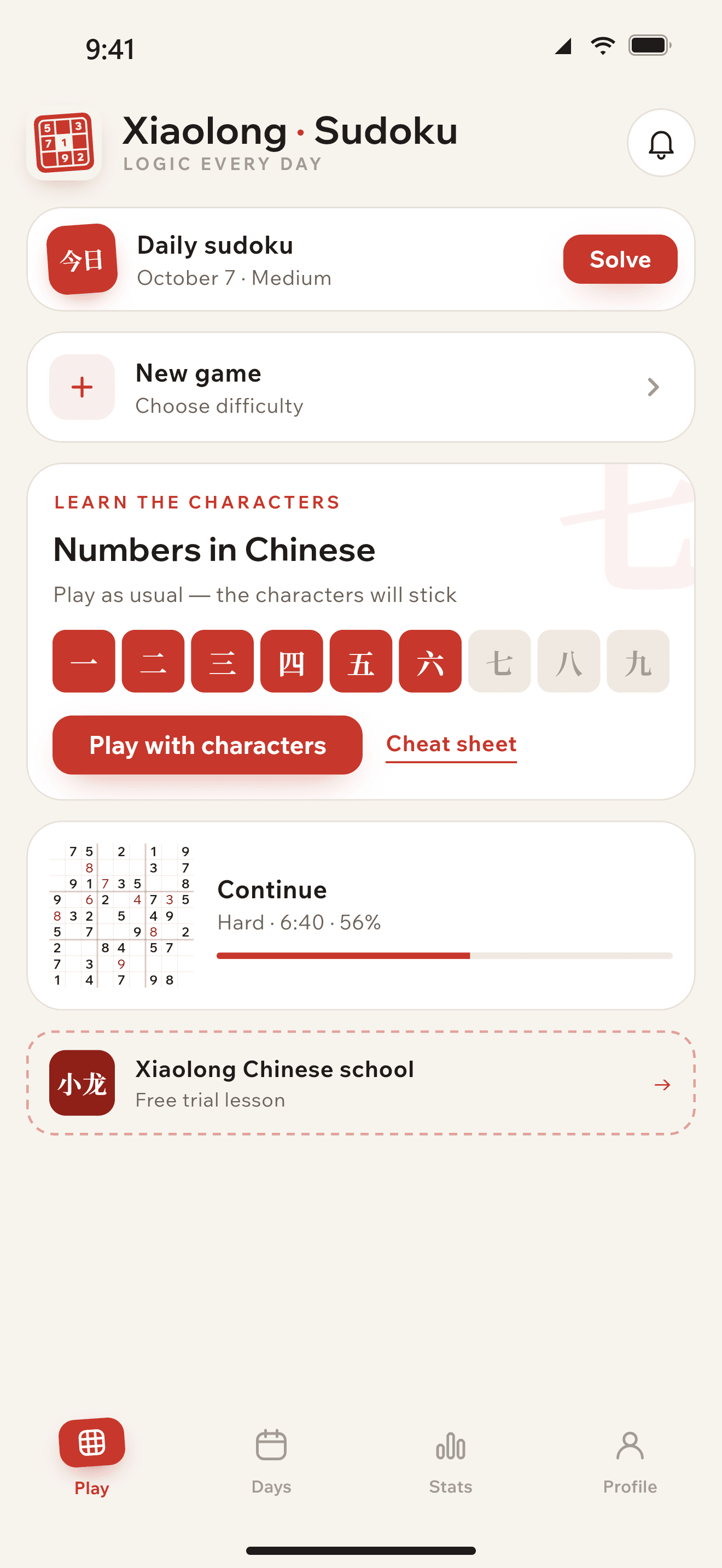
Close it and pick up on the same move
Your game is saved after every move, even if the phone drops the app from memory.
51 / 81
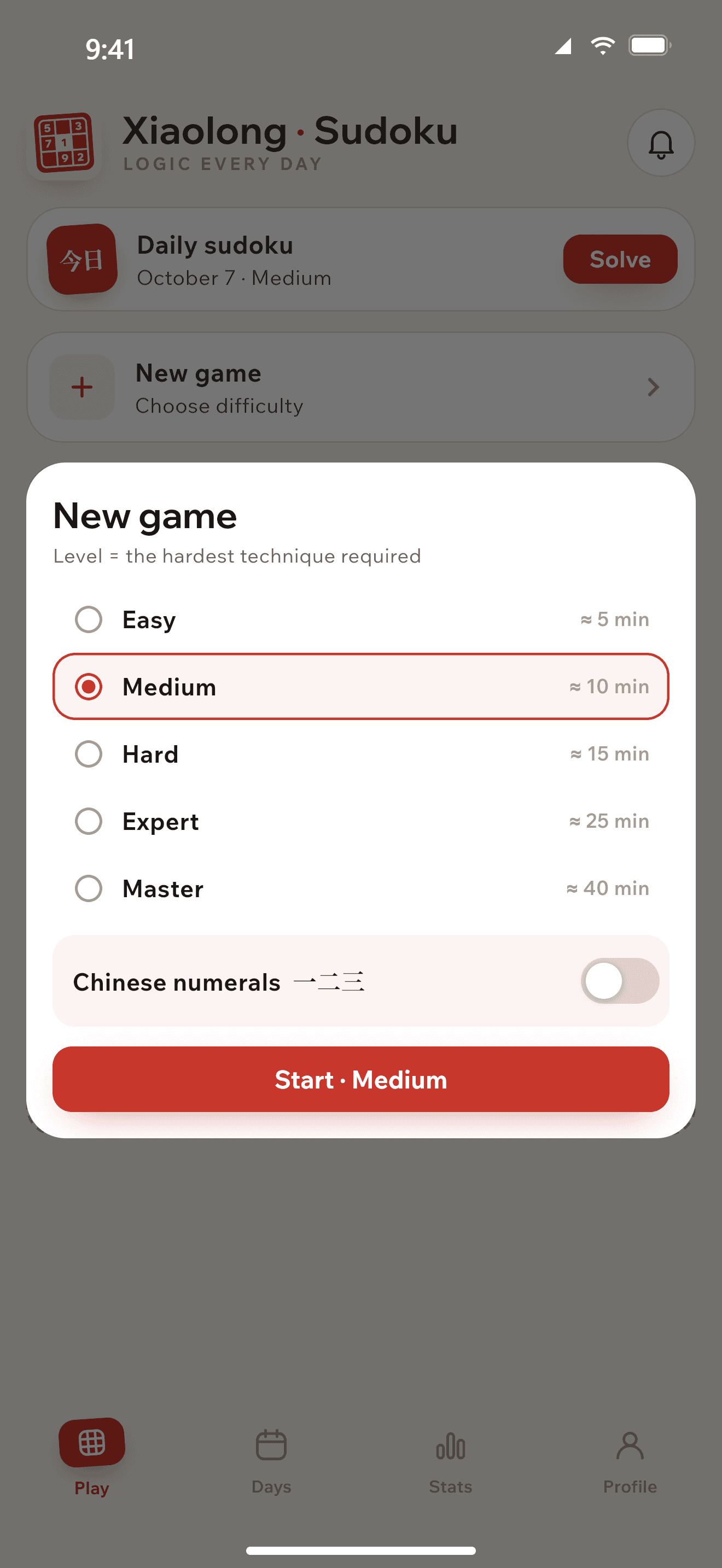
Five levels
We rate difficulty by the hardest technique you’ll need, not by how many cells are empty.
Easy
Medium
Hard
Expert
Master
Dark theme
For a game before bed. Or let it follow your system.
五
五
An honest result
After each game: time, mistakes and hints. If the timer stresses you out, hide it.
12:36time
0mistakes
0hints
龙
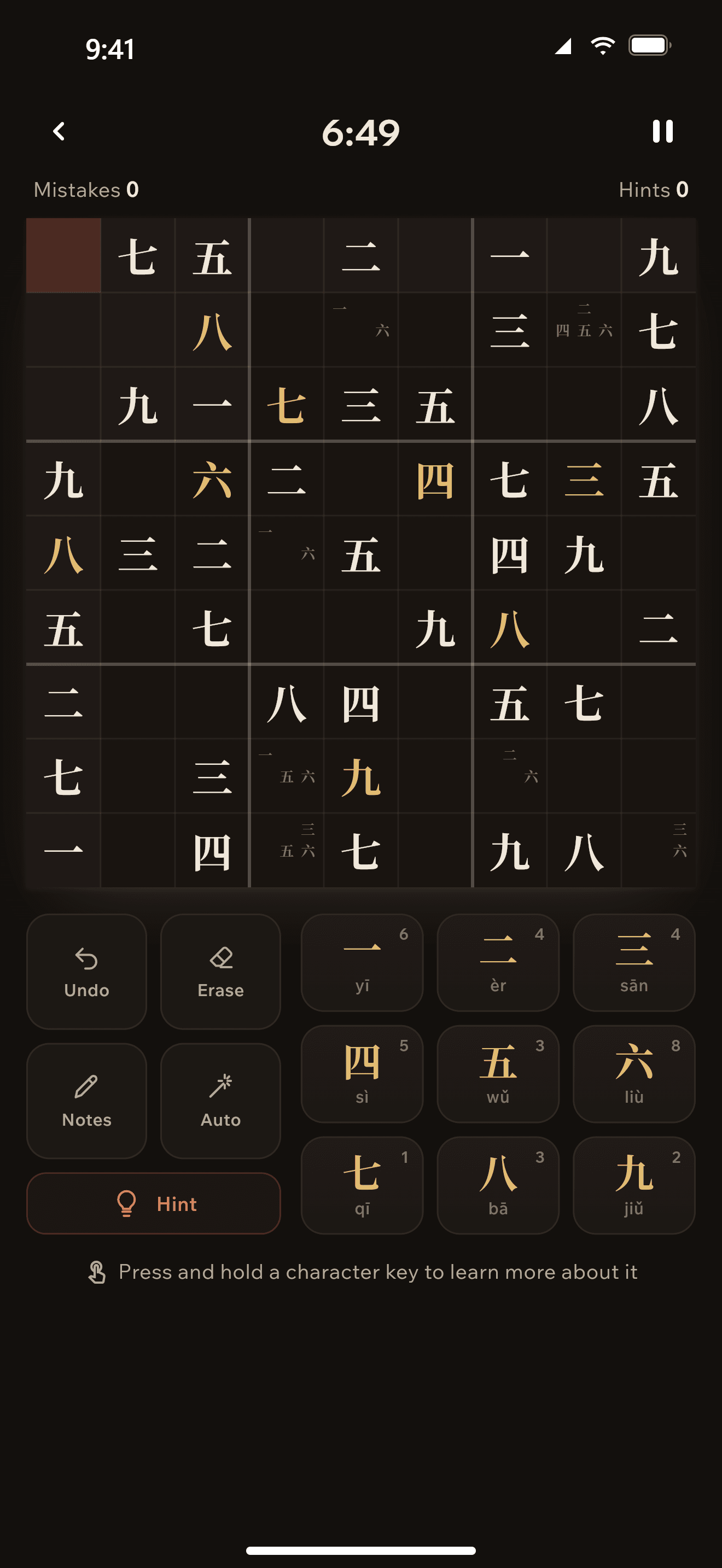
一二三 mode
Characters instead of digits
For anyone learning Chinese. Same puzzles, but the board shows 一–九 instead of 1–9 and the keys carry the pinyin. A couple of games and you’ll never mix up 六 and 八 again.
1一yīone stroke
2二èrtwo strokes
3三sānthree strokes
4四sìa window with a curtain
5五wǔa cross with a shelf
6六liùa house with a roof
7七qīan upside-down 7
8八bātwo legs apart
9九jiǔa hook, like a 9
小龙
小龙 means “little dragon”.It’s the name of the Chinese language school that made this app.
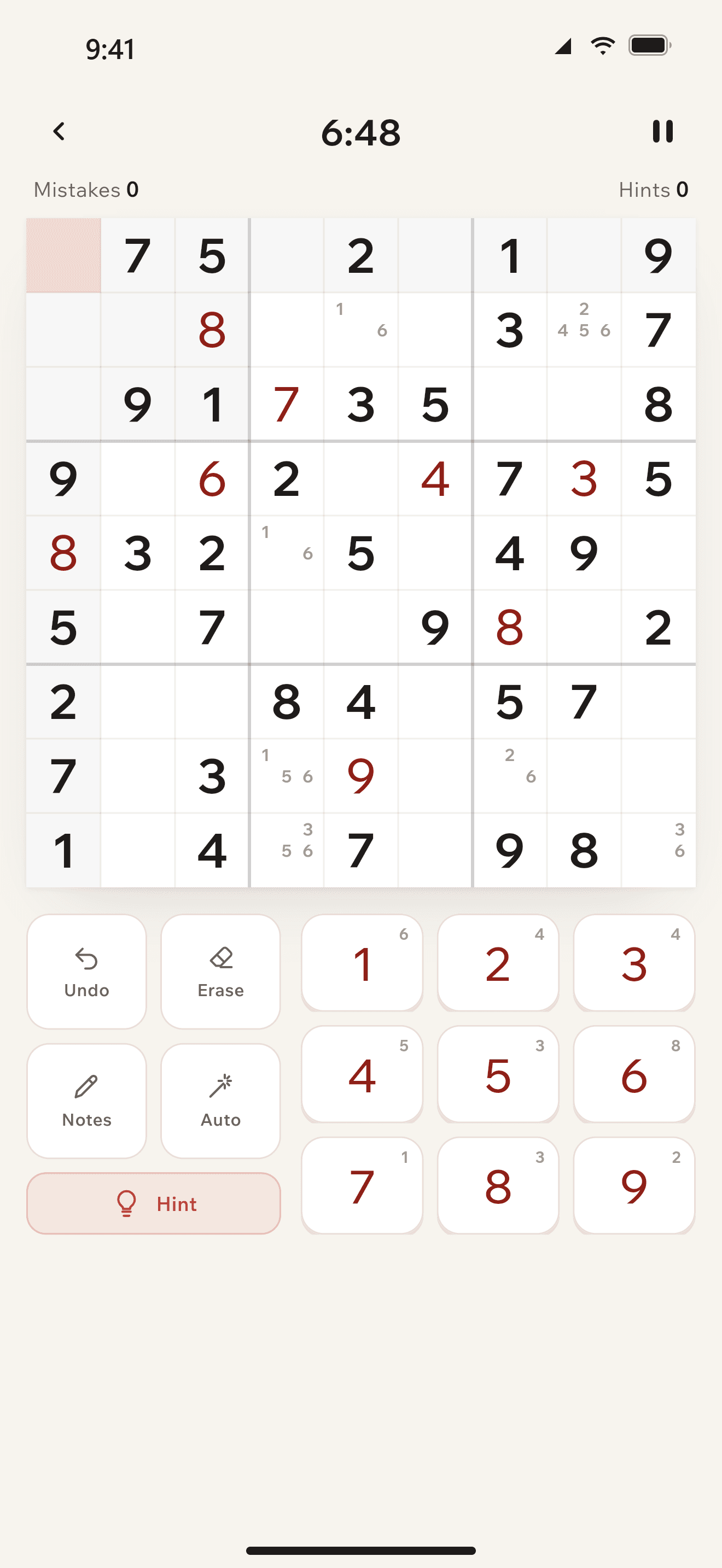
The app
How it looks on your phone
Sudoku without ads
Nothing between you and the game
Five levels of difficulty
From a 5-minute warm-up to a master game
Numbers in Chinese
Same rules — the characters stick on their own
Your game is waiting
Take a break any time
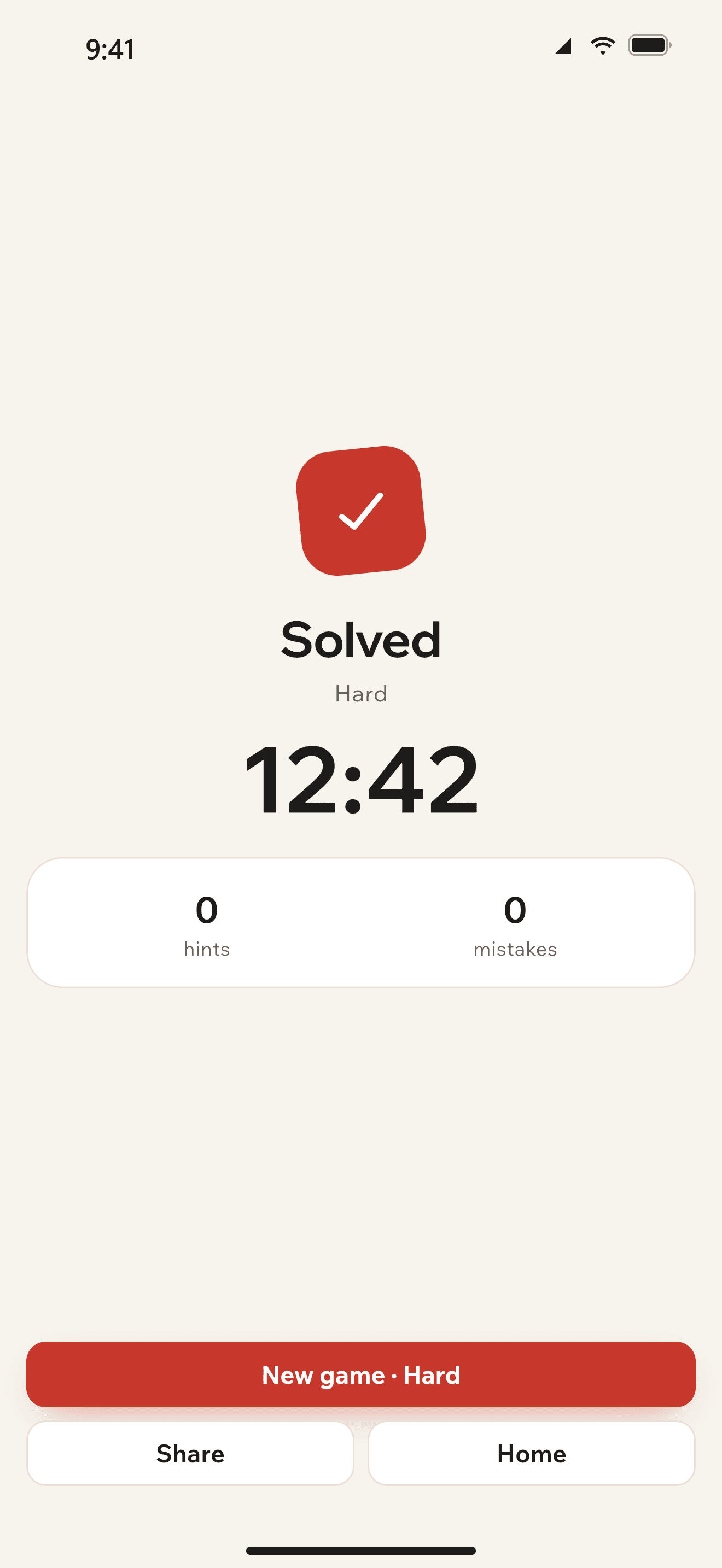
Solved!
Time, mistakes and hints at a glance
问
Before you download
Questions and answers
Didn’t find your question? Write to us — we answer ourselves, no bots or templates.
Fill the empty cells with digits 1 to 9 so that none repeats in a row, a column or a 3×3 box. A few digits are already in place — that’s where you start.
What does it cost, and are there ads?
Nothing, and no. There are no paid levels, no subscription and no banners between games, and we don’t plan to add any.
Do I need the internet or an account?
No. You can play on a plane and without signing up. An account only helps if you want to carry on on another device — say, start on your phone and finish on a tablet: you sign in with a code from an email, no password to invent.
How is Master different from Easy?
Not by the number of empty cells, but by how you have to think. Easy needs only simple techniques; Master calls for the trickiest ones. Every puzzle still has a single answer, so you never have to guess.
Why characters instead of digits?
It’s a mode for people learning Chinese. The board shows 一–九 instead of 1–9 and the keys carry the pinyin. The rules don’t change, and after a few games you read the characters without help. Switch it on or off any time.
Can I play right on the site?
Yes, right here. An unfinished game is saved in your browser, so you can close the tab and come back later.
When is the app coming out?
We’re getting it ready for the App Store, Google Play and RuStore. Once it’s live, the buttons on this page will turn into links.
How do I delete my account?
In the app: Settings → Account → Delete. No access to the app? Send a request on the site — we’ll delete it within 30 days.
The app
Coming soon to the App Store, Google Play and RuStore
Links will appear here on release day. Until then, play on the site — an unfinished game is saved in your browser.
SoonSoonSoon
We use cookies
We use cookies and similar technologies, including Yandex Metrica, to keep the site working and to understand how it’s used. By continuing to use the site, you agree to this. You can turn off analytics cookies below.
NecessaryAlways on
Site essentials: language, theme, your saved game. Can’t be turned off.
Analytics
Help us understand how visitors use the site.
Marketing
Measure the effectiveness of site advertising. Not used at the moment.